
Gi Lauma
ShareID: gi-lauma
byml@may-leonA Maiden blessed by moonlight and the grove alike, hope born to the Frostmoon Scions.
Install:
Installed to
Using Codex
Install Gi LaumaOpen in Codex DesktopPart ofGenshin Impact
charactercozycalm

Tip:BrowseDrag to move
Back to galleryID: gi-lauma
byml@may-leonA Maiden blessed by moonlight and the grove alike, hope born to the Frostmoon Scions.
Install:
Installed to
Using Codex
Install Gi LaumaOpen in Codex DesktopExplore every state
Browse each animation state to see how Gi Lauma moves and reacts.
State viewer
Previewing the Idle animation loop.
Get Gi Lauma
Adds Gi Lauma to ~/.codex/pets/gi-lauma.
Installed to
On Mac, use Terminal.app
Open Spotlight with Command + Space, type Terminal, then press Return.
Paste the command above and press Return.
Use /pet in Codex to wake or tuck it away.
Keep exploring

A rattan weaver from Chenyu Vale. Clear-minded and well-tempered, she is as lively as a mountain spring.
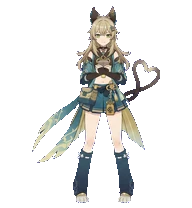
A courier for Komaniya Express, a delivery company in Inazuma. A nekomata who loves her job and human society.

A Huitztlan Saurian Hunter skilled at counting costs.

A renowned architect from Sumeru who perhaps cares a bit too much about too many things. He is an aesthete troubled by reality.

The Curatorium of Secrets' extremely reliable, do-it-all super employee (or so she claims).