
Hatch guide
Hatch a pet in Codex
Use the Codex Hatch Pet skill to turn a short description into a complete animated companion, then activate it or share it with the community.
- 01
Get the Hatch Pet skill
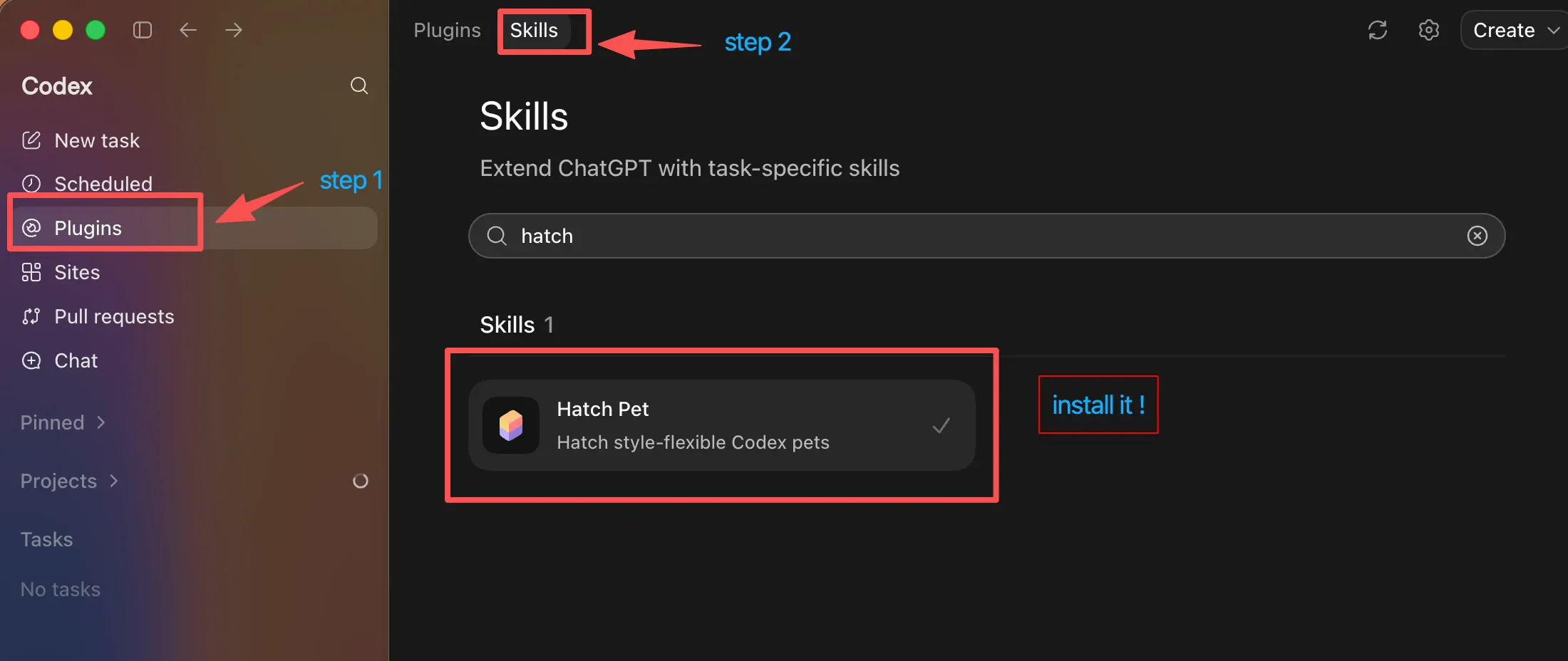
Open Codex, choose Skills in the top navigation, find Hatch Pet, and install it.
- 02
Hatch your pet
In Codex chat, type /pet and describe the companion you want. Include its personality, silhouette, palette, and reactions.
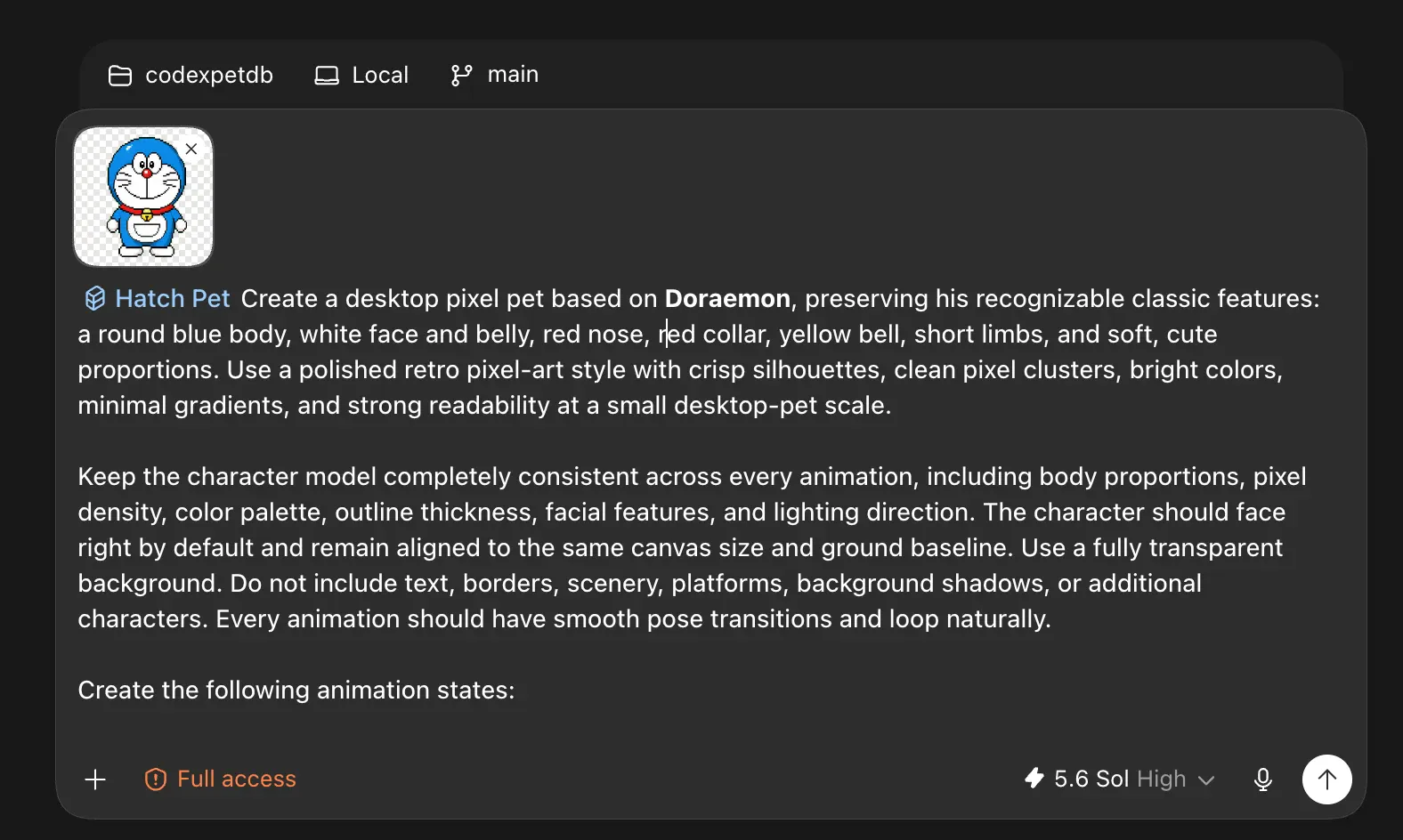
Write a stronger Hatch prompt
A bubble-tea otter gives the skill more to work with than an otter. - 03
Activate it
Restart Codex, open Settings → Appearance → Pets, then select your new pet under Custom pets.
- 04
Share it
Your package lives in
~/.codex/pets/<name>. Submit that folder or its ZIP when you are ready to share it.
Already hatched one?
Validate the folder or ZIP, preview the idle animation, and send it for review.
Burning through Codex tokens?
Drop a wish in the request queue. The community—and we—can pick it up.