
Pet download and install
Download and install Codex pets
Choose a reviewed pet, install it with one npx command or ZIP, and inspect the package before activating it.
Fastest install
Start with Node.js 20 or newer. Browsing and installing public pets does not require an account.
Copy CLI command: npx codexpetdb install 'deepseek-v2'
The complete path from download to activation
01
Choose a reviewed pet
Open a public pet from the gallery or the list below to preview its animation, package version, and actual files.
02
Use the CLI or download a ZIP
Install with PetDB CLI, or download the ZIP from a pet detail page. The package root contains only pet.json and one spritesheet; the default folder is ~/.codex/pets/<pet-slug>, or %USERPROFILE%\.codex\pets\<pet-slug> on Windows.
03
Verify and activate in Codex
PetDB CLI verifies SHA-256, the ZIP structure, and the manifest ID automatically. For a manual install, compare the digest and inspect pet.json, then choose the pet in Settings → Appearance → Pets.
Choose a pet to install
These are the newest reviewed Codex pets published to the catalog.
deepseek鲸鱼娘
抱着小电脑的蓝发鲸鱼娘,认真时会戴上圆圆的眼镜,开心了就挥挥手、蹦跶两下。想安静做事的时候,她也会乖乖陪在一旁~(。・ω・。)ノ♡
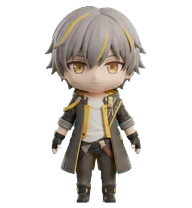
View and install deepseek鲸鱼娘Hsr Trailblazer The Destruction 1
A polished 3D cute desktop pet based entirely on Trailblazer - The Destruction from Honkai: Star Rail, using the supplied reference image as the authoritative identity source. Reimagine the character as a high-quality semi-realistic collectible figure companion with unmistakable identity, faithfully preserving the signature colors, face, hairstyle, outfit, armor or clothing details, materials, markings, and iconic accessories visible in the reference. Preserve the personality conveyed by this source brief: A boy/girl who boarded the Astral Express. They chose to travel with the Astral Express to eliminate the dangers posed by the Stellaron. Translate that personality into a calm, charming neutral presentation rather than a narrative scene or action. Use refined sculpted details, soft premium studio lighting, balanced cute collectible proportions, and a compact, stable full-body silhouette that is portable, production-clean, readable at 192x208, and easy to animate. No text, scenery, fl
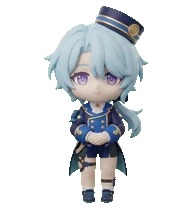
View and install Hsr Trailblazer The Destruction 1Hsr Misha 1
A polished 3D cute desktop pet based entirely on Misha from Honkai: Star Rail, using the supplied reference image as the authoritative identity source. Reimagine the character as a high-quality semi-realistic collectible figure companion with unmistakable identity, faithfully preserving the signature colors, face, hairstyle, outfit, armor or clothing details, materials, markings, and iconic accessories visible in the reference. Preserve the personality conveyed by this source brief: A well-behaved young man serving as a hotel bellboy in Penacony. Misha has a great longing for the Nameless and dreams of one day embarking on a journey of his own. Translate that personality into a calm, charming neutral presentation rather than a narrative scene or action. Use refined sculpted details, soft premium studio lighting, balanced cute collectible proportions, and a compact, stable full-body silhouette that is portable, production-clean, readable at 192x208, and easy to animate. No text, scenery
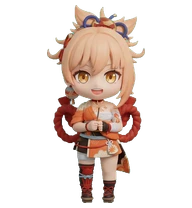
View and install Hsr Misha 1Gi Yoimiya
Owner of Naganohara Fireworks. Known as "Queen of the Summer Festival," she excels in her craft of creating fireworks that symbolize people's hopes and dreams.
View and install Gi YoimiyaGi Yanfei
A well-known legal adviser active in Liyue Harbor. A brilliant young lady in whose veins runs the blood of an illuminated beast.
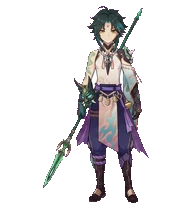
View and install Gi YanfeiGi Xiao
A yaksha adeptus who defends Liyue. Also heralded as the "Conqueror of Demons" and "Vigilant Yaksha."
View and install Gi Xiao


Having trouble installing?
Use the full CLI guide and troubleshooting reference for commands, package rules, and common failures.