
Skip to content
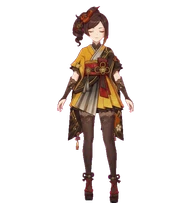
Gi Dahlia desktop pet preview
Back to gallery

Explore every state

Meet every side of Gi Dahlia

Browse each animation state to see how Gi Dahlia moves and reacts.

State viewer

Idle

6 frames
Gi Dahlia desktop pet preview

Previewing the Idle animation loop.

Get Gi Dahlia

Two steps, then it is yours

1. Install the pet

Adds Gi Dahlia to ~/.codex/pets/gi-dahlia.

Installed to

View download and verification details

On Mac, use Terminal.app

Open Spotlight with Command + Space, type Terminal, then press Return.

Paste the command above and press Return.

2. Activate in Codex

  1. 1. Open Codex → Settings → Appearance → Pets
  2. 2. Find Gi Dahlia under Custom pets
  3. 3. Select the pet

Use /pet in Codex to wake or tuck it away.

Open Codex

Keep exploring

More pets

View all pets
ID:gi-cyno
Gi Cyno desktop pet preview

Gi Cyno

character

The General Mahamatra in charge of supervising the researchers of the Akademiya. It is said that when he gets down to work, the General Mahamatra is even more efficient than the "Great Vayuvyastra" made by the Kshahrewar.

#genshin-impact#cyno#chibi
MLby may leon
0
ID:gi-columbina
Gi Columbina desktop pet preview

Gi Columbina

character

The Moon Maiden born in Nod-Krai, and also the welkin moon returning home.

#genshin-impact#columbina#anime-character
MLby may leon
1
ID:gi-chiori
Gi Chiori desktop pet preview

Gi Chiori

character

The owner of Chioriya Boutique. A tailor renowned throughout Fontaine.

#chiori#genshin-impact#anime
MLby may leon
0
ID:gi-chevreuse
Gi Chevreuse desktop pet preview

Gi Chevreuse

character

The captain of the Special Security and Surveillance Patrol, who wears justice as an ever-present seal upon her heart. Her musket shall only ever point at the guilty.

#chevreuse#genshin-impact#musketeer
MLby may leon
0